MacBook Touchpad Not Working : Causes and Solutions Guide
MacBook Touchpad Not Working: Causes and Solutions
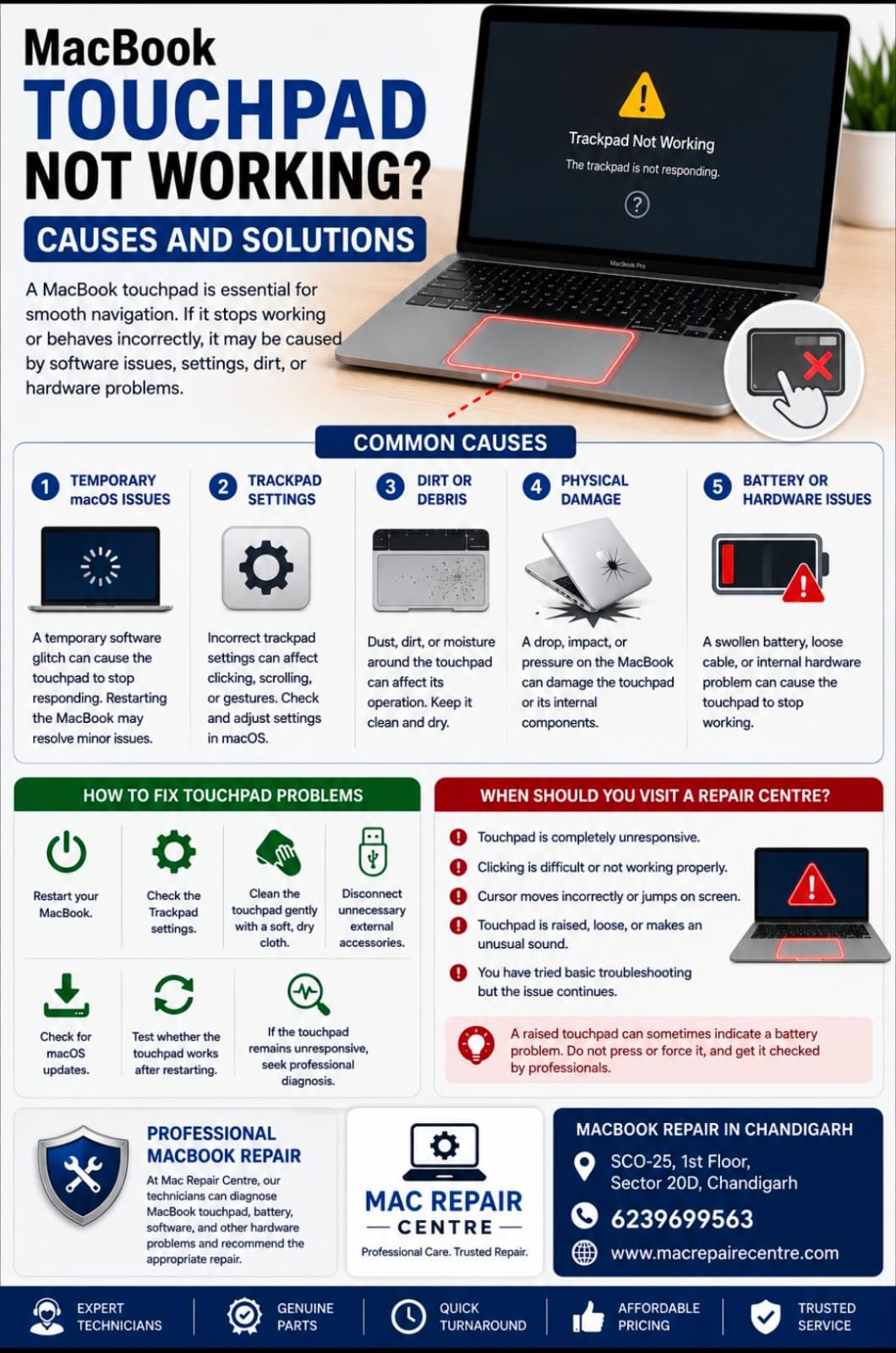
A MacBook touchpad, also known as the trackpad, is essential for navigating macOS. If the trackpad suddenly stops responding, becomes difficult to click, or works intermittently, the problem may be related to software settings, dirt, physical damage, or an internal hardware issue.
Common Causes of MacBook Trackpad Problems
1. Temporary macOS Issues
A temporary software glitch can cause the trackpad to stop responding correctly. Restarting the MacBook may resolve minor software problems.
2. Trackpad Settings
Incorrect trackpad settings can affect clicking, scrolling, or gesture functions. Check the Trackpad settings in macOS to make sure everything is configured correctly.
3. Dirt or Debris
Dust, dirt, or moisture around the trackpad can affect its operation. Keeping the trackpad clean and dry can help prevent performance problems.
4. Physical Damage
A drop, impact, or pressure on the MacBook can damage the trackpad or its internal components.
5. Battery or Internal Hardware Problems
In some cases, a damaged or swollen battery can affect the trackpad. Internal cable or hardware problems can also cause the trackpad to stop working.
How to Fix a MacBook Trackpad Problem
Restart your MacBook.
Check the Trackpad settings.
Clean the trackpad gently with a soft, dry cloth.
Disconnect unnecessary external accessories.
Check for macOS updates.
Test whether the trackpad works after restarting.
If the trackpad remains unresponsive, seek professional diagnosis.
When Should You Visit a Repair Centre?
Professional inspection is recommended if the trackpad remains completely unresponsive, clicking becomes difficult, the cursor moves incorrectly, or the trackpad appears raised or unusually difficult to press.
A raised trackpad can sometimes indicate a battery-related problem, so it should not be forced or pressed repeatedly.
At Mac Repair Centre, our technicians can diagnose MacBook trackpad, battery, software, and other hardware-related problems and recommend the appropriate repair.
MacBook Repair in Chandigarh
Mac Repair Centre
Address: SCO-25, 1st Floor, Sector 20D, Chandigarh
Contact: 6239699563
For professional MacBook trackpad troubleshooting and repair services, visit Mac Repair Centre.