
MacBook Air vs MacBook Pro maintenance
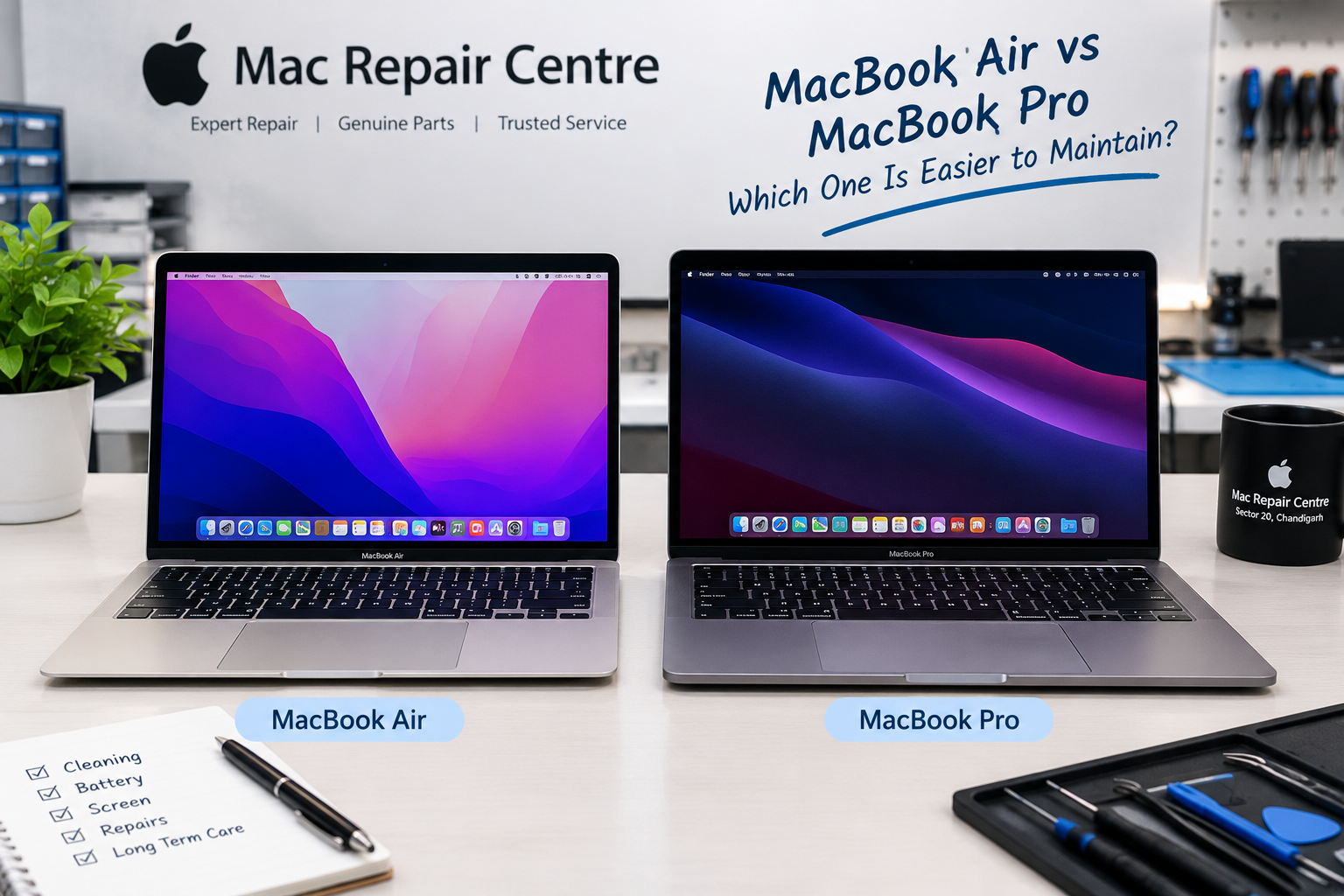
Introduction
Choosing between a MacBook Air and a MacBook Pro is not only about performance, screen quality, battery life, or price. Another important factor is maintenance. If you plan to use your MacBook for several years, you should understand how easy it is to clean, service, repair, and maintain your device.
Both the MacBook Air and MacBook Pro are designed with slim aluminium bodies and advanced Apple silicon chips. However, their internal cooling systems, component layouts, and repair requirements can differ. The exact model and year also make a significant difference.
So, which MacBook is easier to maintain? In everyday use, the MacBook Air generally has an advantage because many Apple silicon models use a fanless design. The MacBook Pro, on the other hand, includes active cooling in many models, which can make internal cleaning more relevant but also helps it handle demanding workloads. Neither model is especially easy to repair compared with laptops designed around easily replaceable components.
In this guide, we will compare the MacBook Air and MacBook Pro in terms of cleaning, battery health, screen repairs, keyboard issues, motherboard problems, repair costs, and long-term ownership.
1. Understanding the MacBook Air and MacBook Pro
MacBook Air
Designed for everyday work, portability, study, travel, and general productivity.
MacBook Pro
Designed for demanding work such as video editing, development, design, and sustained professional workloads.
The MacBook Air is a popular choice for students, office workers, business owners, and people who need a lightweight laptop. Its fanless design on Apple silicon models means there is no internal cooling fan to accumulate dust or develop fan-bearing noise.
The MacBook Pro is built for users who need additional performance, depending on the configuration. Many MacBook Pro models have internal fans and more complex cooling arrangements. These systems may need professional cleaning if dust builds up or cooling performance declines.
It is important to remember that MacBook Air does not automatically mean easy to repair, and MacBook Pro does not automatically mean expensive to repair. A newer model may have a very different repair process from an older Intel-based version.
2. Which MacBook is easier to clean and maintain?
MacBook Air: fewer cooling-system components
Apple silicon MacBook Air models with fanless cooling have one clear maintenance advantage: there is no internal fan to clean or replace.
This can reduce certain maintenance needs, particularly for people who work in relatively clean environments. However, dust can still collect around the ports, keyboard, speakers, and internal surfaces. Liquid spills, overheating due to blocked ventilation around the device, battery wear, and accidental damage remain possible.
The absence of a fan also does not mean that the MacBook Air can never run hot. Under sustained heavy workloads, it may reduce performance to manage its temperature.
MacBook Pro: active cooling on many models
Many MacBook Pro models use internal fans to move heat away from the processor and other components. Over time, dust can accumulate in the cooling system, particularly in dusty workspaces.
If a MacBook Pro becomes unusually noisy, runs hotter than normal, or slows down under load, a technician may need to inspect the fans, heatsink, and thermal system.
Professional cleaning can help when dust is the cause, but these symptoms can also indicate software problems, battery issues, or other hardware faults.
Maintenance verdict: The MacBook Air has a slight advantage for routine cooling-system maintenance when comparing fanless Apple silicon Air models with actively cooled MacBook Pro models.
3. Battery maintenance: Air vs Pro
The battery is one of the most important components to consider when estimating long-term ownership costs. All rechargeable batteries gradually lose capacity with age and charging cycles.
Common signs of battery deterioration include:
- Battery percentage dropping unusually quickly.
- The MacBook shutting down unexpectedly.
- Battery health or service warnings appearing.
- The laptop needing frequent charging.
- Swelling or separation of the case, which requires urgent professional attention.
Both MacBook Air and MacBook Pro batteries can require replacement. The difficulty depends on the exact generation and internal design.
Modern models use carefully arranged internal components and adhesive systems, so battery replacement is not always a simple task. A repair technician must follow the correct procedure to avoid damaging the battery, trackpad cables, or logic board.
iFixit
How to extend battery life
1. Avoid exposing your MacBook to excessive heat.
2. Use a reliable, compatible charger.
3. Keep macOS updated.
4. Enable optimised battery charging when available.
5. Avoid leaving a damaged or swollen battery in use.
6. Check battery health periodically.
Maintenance verdict: Neither model is universally easier for battery replacement. Compare the exact model before estimating the repair time or cost.
4. Screen repair: which model is easier?
A damaged screen can be one of the most expensive repairs for either MacBook family. Screen problems may include cracked glass, vertical lines, flickering, a completely black display, backlight failure, or damage caused by pressure on the lid.
The repair process varies with the screen assembly, display cables, hinge design, and model generation. Some faults may involve the display assembly, while others may originate from the logic board or related circuitry.
Modern MacBooks also use tightly integrated display assemblies. This means that a screen replacement can require more than simply changing a small piece of glass.
MacBook Air screen problems
Common causes include:
- Accidental impact or pressure on the display.
- Liquid exposure.
- Display cable or connector problems.
- Backlight or display circuitry faults.
- A damaged screen assembly.
MacBook Pro screen problems
MacBook Pro models can experience similar faults. Their display specifications and internal layouts vary by generation, so a repair estimate should be based on the exact model rather than the product name alone.
Which one is cheaper to repair? There is no universal winner. Screen size, model year, panel type, part availability, and the nature of the fault all affect the final cost.
Before replacing the screen, a technician should diagnose whether the problem is actually in the panel or another component.
5. Keyboard and trackpad maintenance
The keyboard and trackpad are used every day, which makes them vulnerable to dust, liquid spills, and physical wear.
Typical symptoms include:
- Keys not responding or repeating.
- Sticky keys.
- Trackpad clicking inconsistently.
- The cursor moving unexpectedly.
- Keyboard or trackpad failure after liquid exposure.
Both MacBook Air and MacBook Pro can be challenging to repair in this area. On many modern models, the keyboard is integrated into the upper case and is not designed for a quick, simple replacement. Accessing it may involve extensive disassembly.
If liquid spills onto your MacBook, switch it off as soon as safely possible, disconnect the charger, and arrange a professional inspection. Avoid using a hairdryer or repeatedly powering on the device to see whether it works.
Maintenance verdict: Neither family has a universal advantage for keyboard repair. A small amount of prevention can save a considerable amount of repair work.
6. Motherboard and logic board repairs
The logic board is one of the most important parts of a MacBook. It contains or connects key systems responsible for processing, power management, charging, and communication between internal components.
A logic board problem may cause symptoms such as:
- MacBook not turning on.
- No charging response.
- Automatic restarts.
- No display despite signs of power.
- Liquid-damage-related faults.
- USB-C or charging problems.
These symptoms do not automatically mean that the motherboard is defective. A faulty charger, battery, display, port, or other component can produce similar behaviour.
MacBook Air motherboard repair
MacBook Air models are compact, and many use soldered memory and storage. This limits certain upgrade and component-replacement options. A technician may be able to repair a specific circuit-level fault, depending on the damage and model.
MacBook Pro motherboard repair
MacBook Pro models also use highly integrated logic boards. Their more advanced configurations can contain additional components, and the cost of replacing an entire board may be substantial.
In both families, the repair decision should depend on the diagnosis, part availability, data-recovery requirements, and total cost compared with the value of the laptop.
Important: Memory and internal storage are soldered or integrated on many Apple silicon MacBooks, so upgrading RAM or SSD capacity after purchase is generally not possible in the same way as on a conventional upgradeable laptop. Back up your data regularly.
7. MacBook Air vs MacBook Pro: maintenance comparison
Maintenance factor MacBook Air MacBook Pro
Routine cooling maintenance Less for fanless models More relevant for fan-cooled models
Internal fan replacement Not applicable to fanless models Applicable to models with fans
Battery replacement Requires model-specific disassembly Requires model-specific disassembly
Screen repair Can be costly Can be costly
Keyboard repair Can require extensive disassembly Can require extensive disassembly
RAM upgrades Generally unavailable on Apple silicon Generally unavailable on Apple silicon
SSD upgrades Generally unavailable on Apple silicon Generally unavailable on Apple silicon
Best suited for Everyday use and portability Demanding professional workloads
The comparison is general, not a guarantee for every model. Older Intel MacBooks and newer Apple silicon models can differ considerably. Repairability assessments also change as new models are released.
Most Repairable Laptops - iFixit
8. Which MacBook costs less to maintain?
The MacBook Air can be cheaper to maintain in some situations because fanless models have fewer cooling-system components. However, this does not mean every Air repair will cost less than a Pro repair.
Repair expenses depend on several factors:
- The exact model number and year.
- Whether the device uses an Intel or Apple silicon processor.
- The damaged component.
- Whether a component-level repair is possible.
- Availability and quality of replacement parts.
- Whether the repair requires a complete assembly or logic board.
- Whether diagnostics, calibration, or additional work is needed.
For example, a MacBook Air with a damaged display may cost more to repair than a MacBook Pro with a straightforward charging-port fault. The component and fault matter more than the name printed on the laptop.
Repair or replace?
Before making a decision, ask a technician to provide a diagnosis and estimate. Compare the repair cost with the laptop's age, condition, expected remaining life, and the cost of a suitable replacement.
A reliable repair may be worthwhile if the device otherwise meets your needs. Replacement may make more sense if multiple expensive components have failed or the laptop no longer supports your workload.
9. Practical maintenance tips for both MacBooks
Whether you own a MacBook Air or MacBook Pro, these habits can help keep it in good condition.
Keep your MacBook clean. Use a soft, lint-free cloth for the exterior and display. Follow Apple's cleaning guidance and avoid spraying liquid directly onto the device.
Protect it from liquid. Keep drinks away from the laptop, and never assume a small spill is harmless.
Use a protective carrying case. A case can help prevent scratches and reduce the risk of some accidental damage during travel, although it cannot guarantee protection from impacts.
Avoid excessive heat. Use the MacBook on a stable surface and do not block airflow on models that have ventilation openings.
Keep enough free storage space. A nearly full drive can affect everyday use. Since storage upgrades are limited on many modern models, choose a suitable capacity when purchasing and maintain backups.
Install updates carefully. Keep macOS and supported software updated, and make sure important files are backed up before major upgrades.
Do not ignore unusual symptoms. Unexpected shutdowns, charging issues, a flickering screen, or a swollen battery should be checked rather than repeatedly tested at home.
10. When should you visit a professional MacBook repair centre?
Some maintenance tasks, such as cleaning the exterior and checking battery health, are suitable for everyday users. Internal repairs are different: modern MacBooks contain delicate connectors, compact components, and batteries that can be hazardous if damaged.
Professional diagnosis is recommended if your MacBook:
- Does not turn on or charge.
- Has a black screen or display lines.
- Restarts unexpectedly.
- Has liquid damage.
- Overheats or makes unusual fan noises.
- Has keyboard, trackpad, or port failures.
- Shows signs of battery swelling.
At Mac Repair Centre, Sector 20, Chandigarh, customers can seek help with MacBook diagnostics, screen issues, charging problems, motherboard faults, and other hardware concerns. A proper diagnosis helps determine whether a component repair, replacement, or further testing is appropriate.
The aim should always be to identify the actual fault before recommending a repair.
11. Final verdict: MacBook Air or MacBook Pro?
The answer depends on what you mean by “easier to maintain.”
- For everyday maintenance: The MacBook Air is often the simpler choice, particularly fanless Apple silicon models.
- For demanding workloads: The MacBook Pro may be the better investment if you need sustained performance and its additional features.
- For screen, keyboard, and battery repairs: Neither is automatically easier or cheaper; the exact model matters.
- For long-term ownership: Careful handling, regular backups, battery care, and timely diagnosis matter more than choosing Air or Pro alone.
The most important point is that a MacBook that is easy to maintain is not necessarily easy to repair. Before buying a used MacBook, check its battery condition, display, keyboard, charging ports, and service history. If a fault appears, obtain a proper diagnosis before spending money on replacement parts.
Frequently asked questions (FAQs)
1. Is MacBook Air easier to maintain than MacBook Pro?
Generally, fanless Apple silicon MacBook Air models need less cooling-system maintenance. However, screen, battery, and keyboard repairs can still be complicated.
2. Does MacBook Air have a cooling fan?
Apple silicon MacBook Air models such as the M1, M2, M3, and M4 generations use fanless cooling. Check the specifications of the exact model you own.
3. Is MacBook Pro more expensive to repair?
It can be, depending on the model and the fault. Display, battery, and logic board repairs can be expensive on either product family.
4. Can I upgrade the RAM in a MacBook Air or MacBook Pro?
RAM is not user-upgradeable on most modern Apple silicon models because it is integrated into the chip package.
5. Can I upgrade the SSD in a modern MacBook?
Internal storage is soldered on many modern models and generally cannot be upgraded like a standard removable SSD. Always verify your exact model.
6. Which MacBook is better for long-term use?
Both can provide years of service when properly maintained. Choose based on your workload, configuration, repair budget, and expected software support.
7. What should I do if my MacBook gets hot?
Check for demanding apps, ensure the laptop is on a suitable surface, and look for unusual symptoms. If overheating continues, arrange a professional inspection.
8. Should I repair my MacBook or buy a new one?
Compare the repair estimate with the laptop's condition, age, performance, and replacement cost. A professional diagnosis helps you make an informed decision.