How to Improve MacBook Battery Life : Easy Guide
How to Improve MacBook Battery Life: Easy Tips
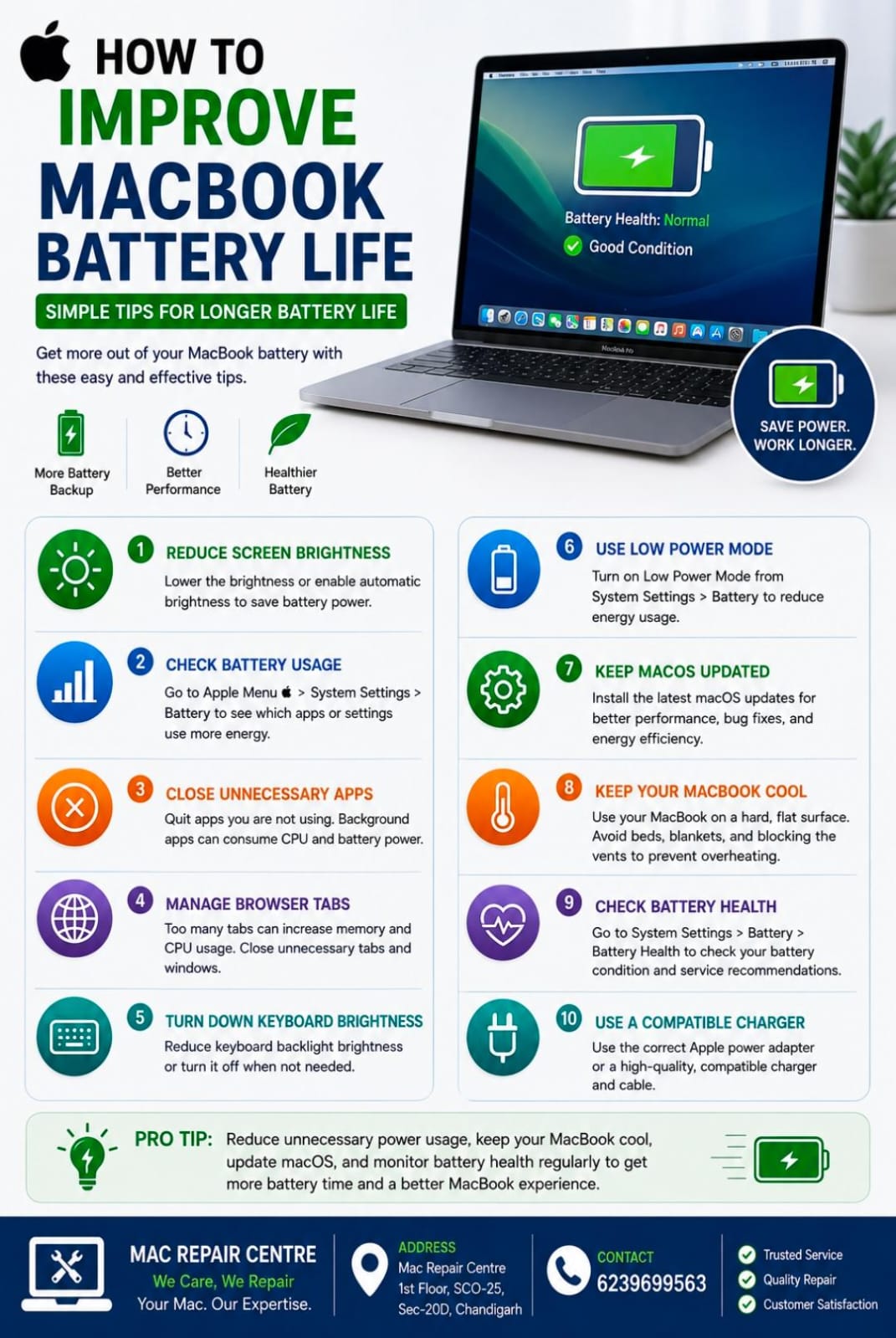
Good battery life is important for a smooth and convenient MacBook experience. With a few simple habits, you can reduce battery drain and help your MacBook battery last longer throughout the day.
1. Reduce Screen Brightness
The display can consume a significant amount of battery power. Lower the brightness to a comfortable level and enable automatic brightness when appropriate.
2. Check Battery Usage
Go to Apple Menu → System Settings → Battery to review battery usage and identify settings or apps that may be consuming more energy.
3. Close Unnecessary Apps
Apps running in the background can use CPU and battery power. Close applications you are not currently using.
4. Manage Browser Tabs
Keeping many browser tabs open can increase memory and processor usage. Close unnecessary tabs and windows when they are no longer needed.
5. Turn Down Keyboard Brightness
If your MacBook has a backlit keyboard, reducing the keyboard brightness can help conserve power.
6. Use Low Power Mode
When you need your battery to last longer, use Low Power Mode from System Settings → Battery. It can reduce energy consumption during battery-powered use.
7. Keep macOS Updated
Install compatible macOS updates regularly. Updates can include performance improvements, bug fixes, and energy-efficiency improvements.
8. Keep Your MacBook Cool
Avoid using your MacBook on beds, blankets, or other surfaces that block ventilation. Excessive heat can affect battery performance and overall system efficiency.
9. Check Battery Health
Go to System Settings → Battery → Battery Health to check the condition of your battery. If you see a service recommendation or experience unusually fast battery drain, consider professional inspection.
10. Use a Compatible Charger
Use the correct Apple power adapter or a reputable, compatible charger and cable. Avoid poor-quality charging accessories that may cause charging or performance problems.
Final Tip
Reduce unnecessary power usage, keep your MacBook cool, update macOS, and monitor battery health regularly. These simple habits can help you get more battery time and maintain a better MacBook experience.
Mac Repair Centre
1st Floor, SCO-25, Sec-20D, Chandigarh
📞 6239699563